| Criteria | Score | Improvement Guide |
|---|---|---|
| * RAC 1) Include Capacity 2) Include Unit 3) Include Category 4) Include USP Feature * AP 1) Include Category 2) Include USP Feature |
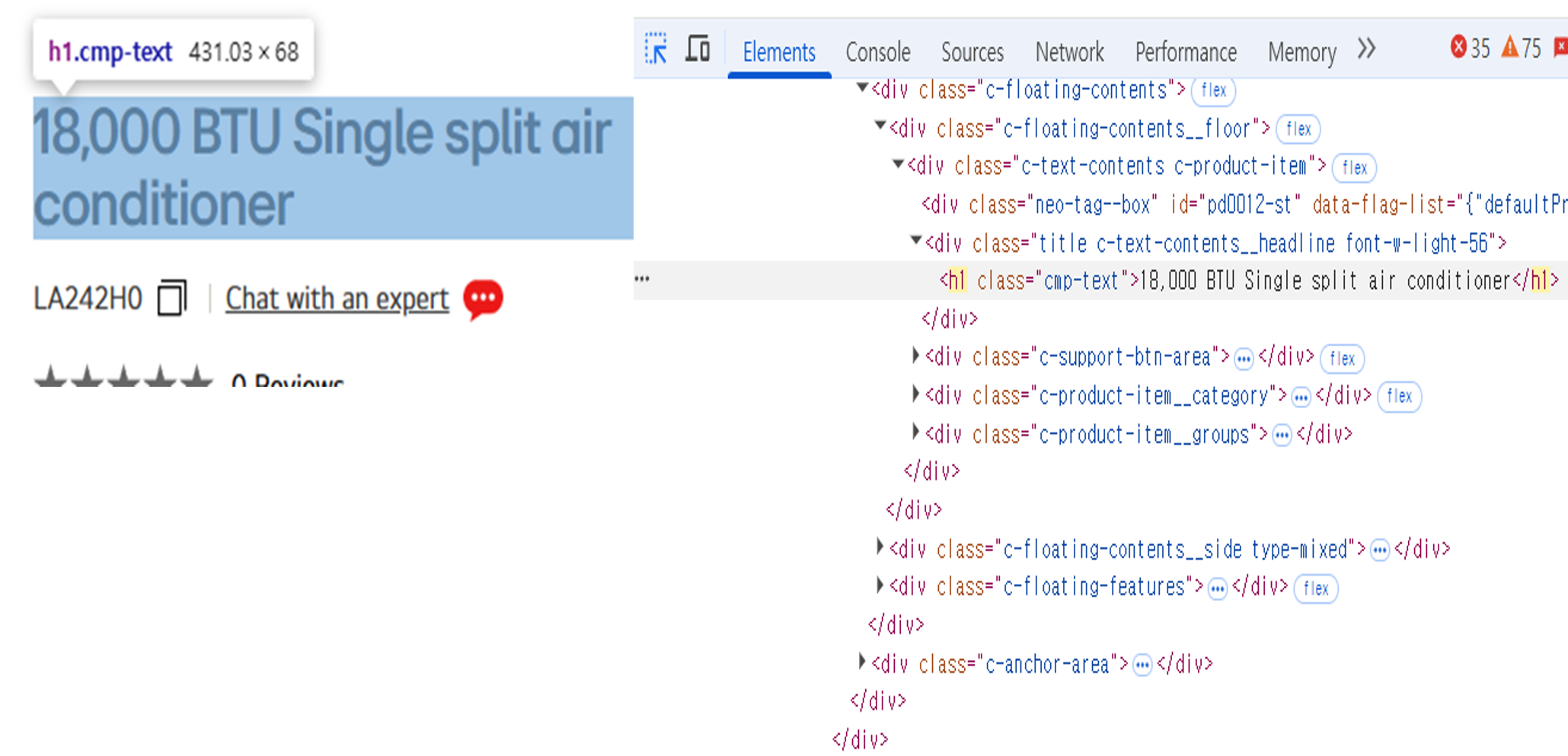
15 | Include the mandatory Ruleset in UFN (Capacity, Unit, Category, USP
Feature) Where to view in Raw Data file: - (Column AD)1. UFN: score of criteria - (Column I)UFN: crawled data of UFN - (Column J)UFN (Eng): UFN translated into English - (Column K)UFN P/F: Pass or Fail reason * How to fix Fail cases 1) Capacity Missing: Add a capacity in front of Unit 2) Unit Missing: Include unit defined in Unit_DICT 3) Category Missing: Include at least one keyword from B2C_Category 4) USP Missing: Include at least one keyword from USP_NAME_DICT |
| Criteria | Score | Improvement Guide |
|---|---|---|
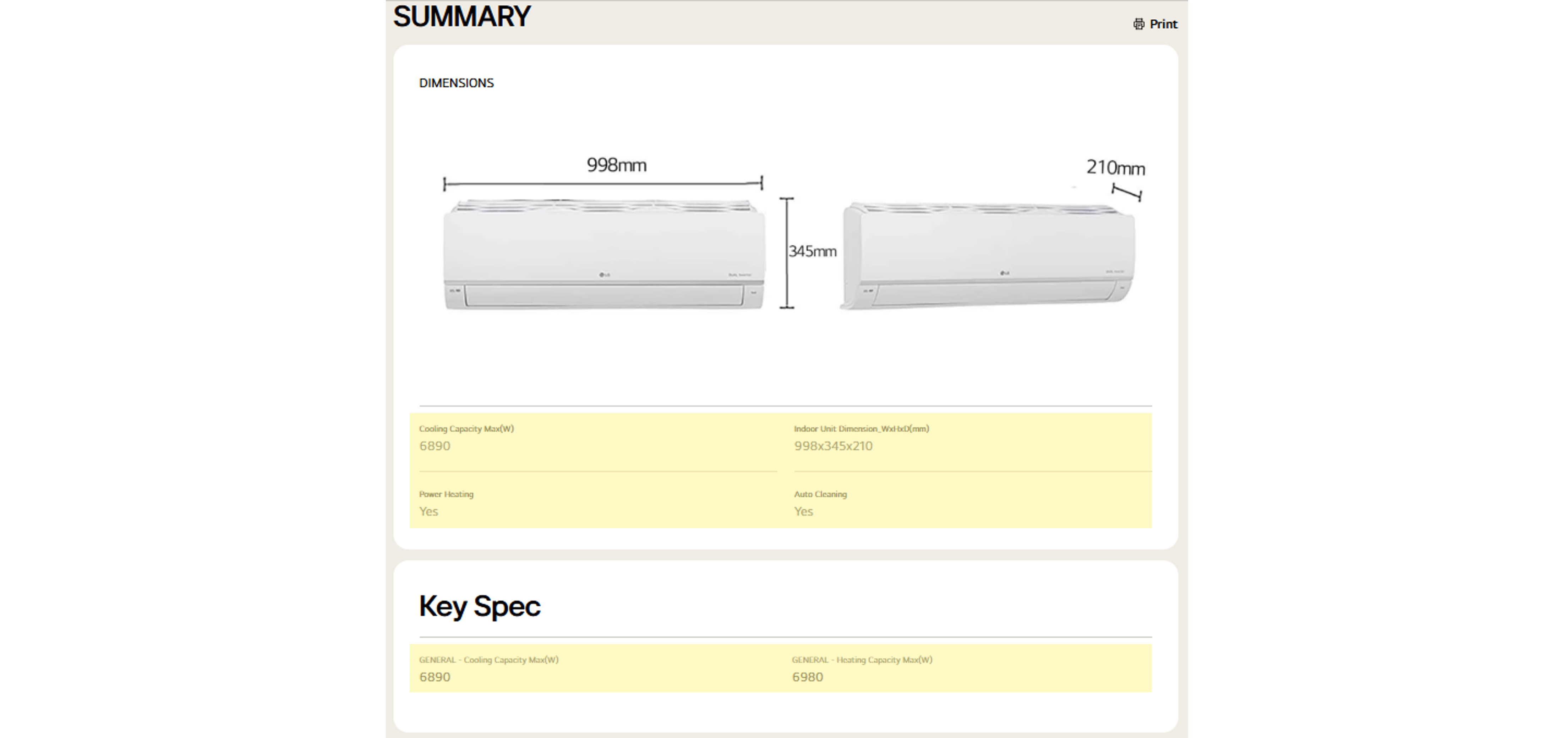
| 1) Include Dimension or 2) Include an image with no image errors |
10 | Include Dimension or an image with no image errors in either Summary or Key Specs area Where to view in Raw Data file: - (Column AE)2. Spec: score of criteria - (Column L)Spec Title: Spec title crawled from the page (dimension name) - (Column M)Spec Data: Spec value crawled from the page - (Column N)Image Error Y/N: image error availability - (Column O)Image src: image source URL * How to fix Fail cases 1) Add dimension using keyword from Spec_DICT 2) Add or fix the image so that no image error is detected |
| Criteria | Score | Improvement Guide |
|---|---|---|
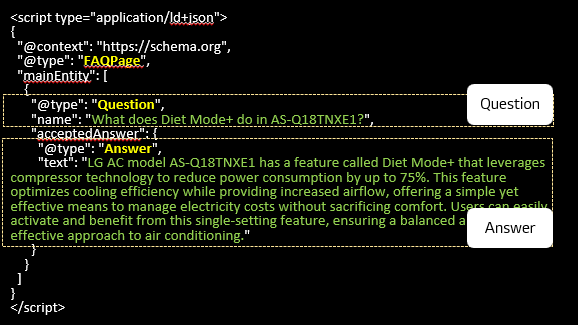
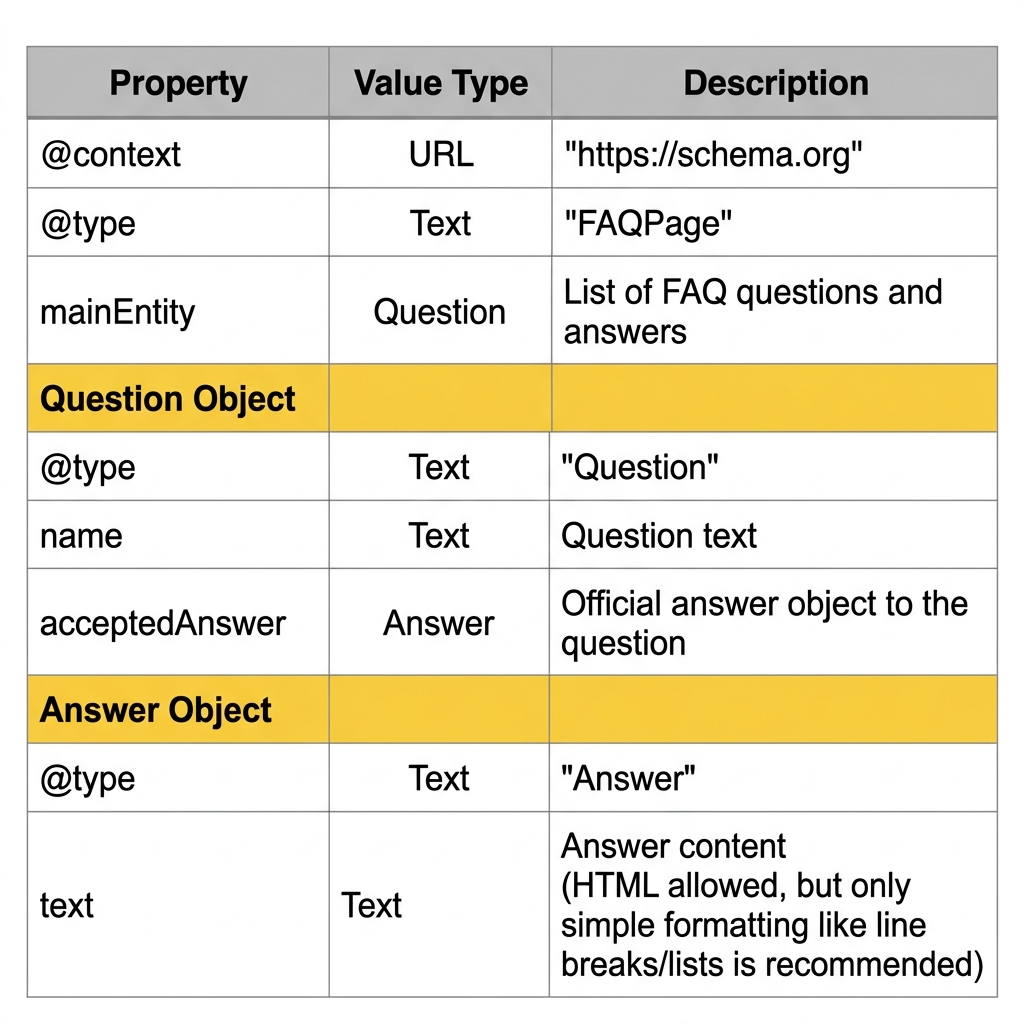
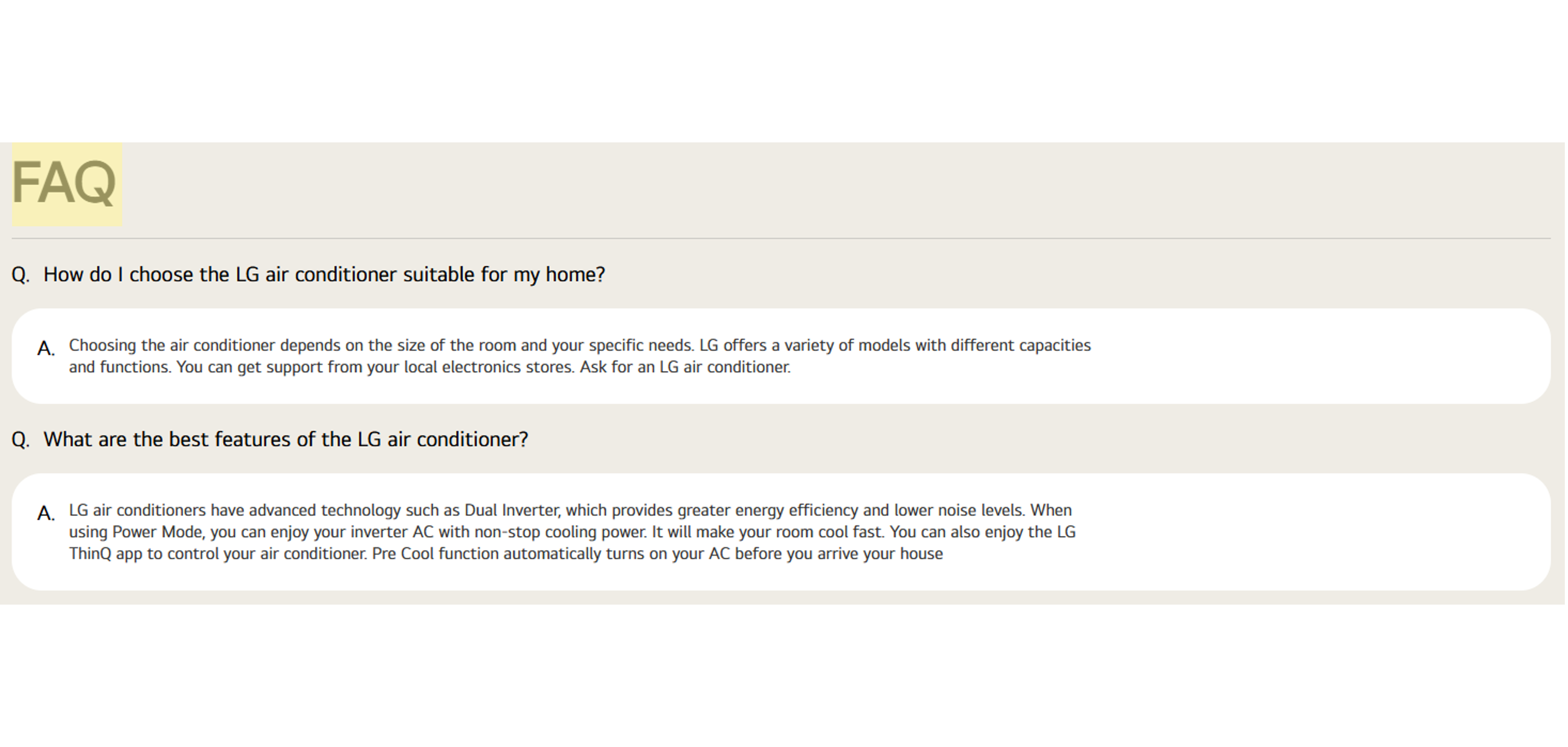
| 1) Upload FAQ | 15 | Upload FAQ content Where to view in Raw Data file: - (Column AF)3. FAQ: score of criteria - (Column P)FAQ: crawled data of FAQ - (Column Q)FAQ Count: number of FAQs * How to fix Fail cases 1) Upload at least one FAQ |
| Criteria | Score | Improvement Guide |
|---|---|---|
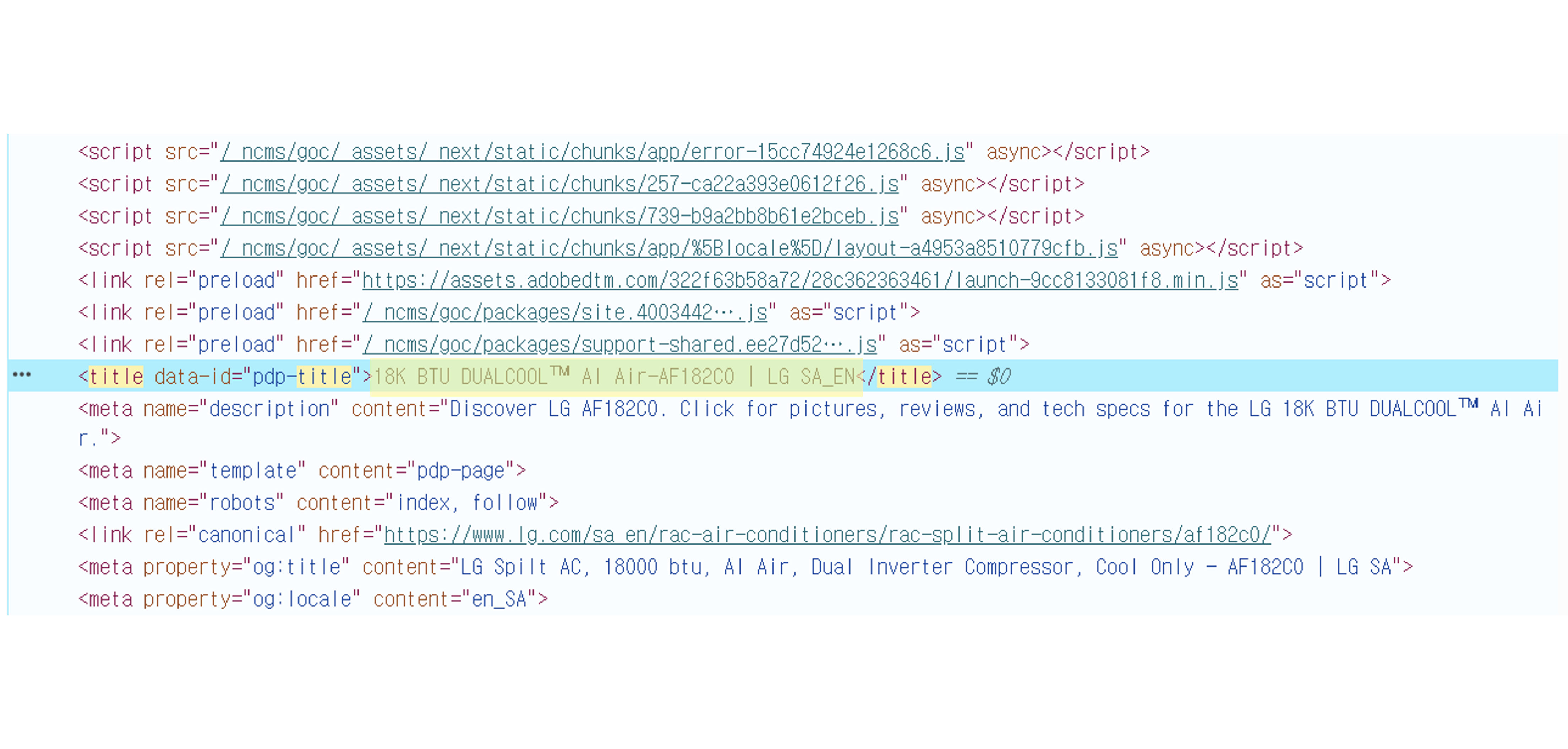
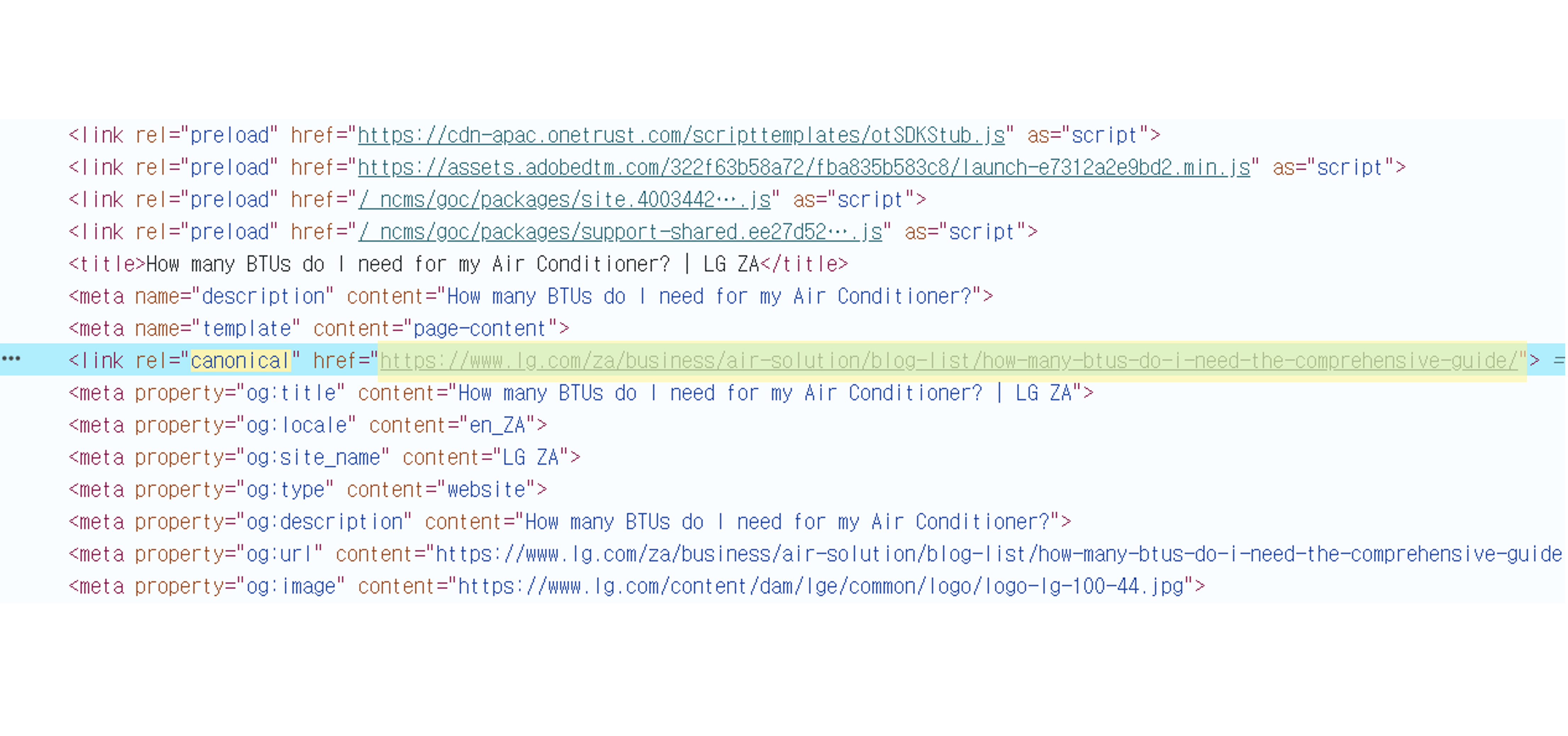
| 1) Include Sales Model Code 2) Include Country ISO |
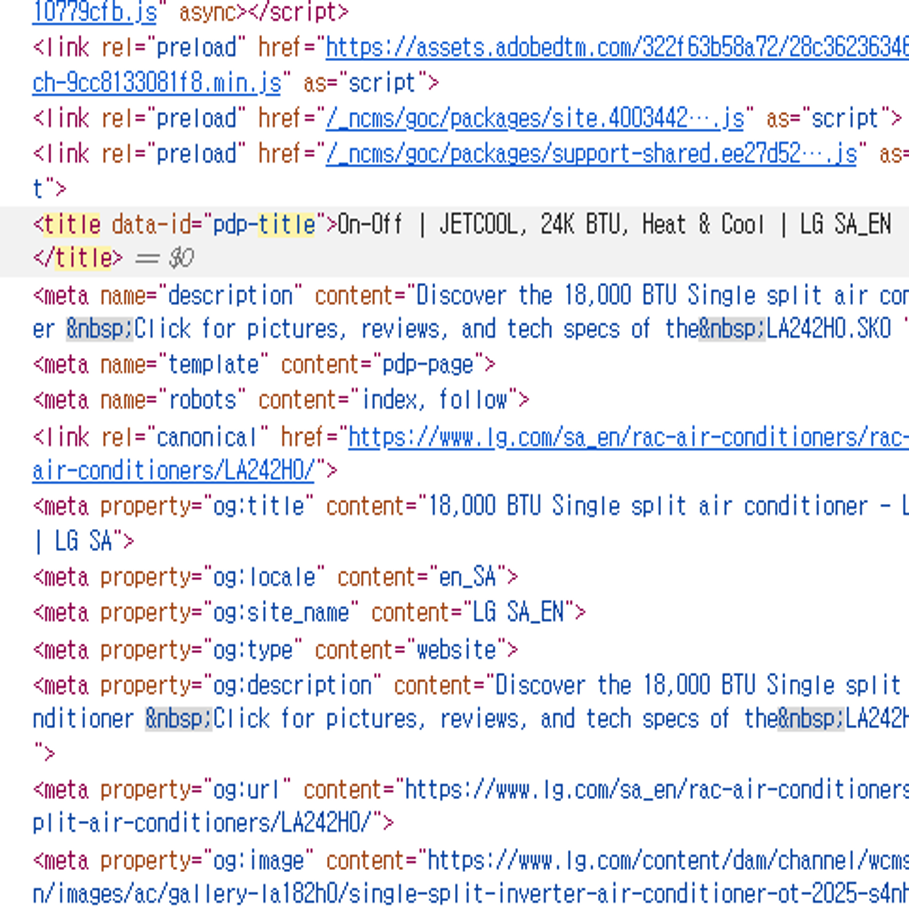
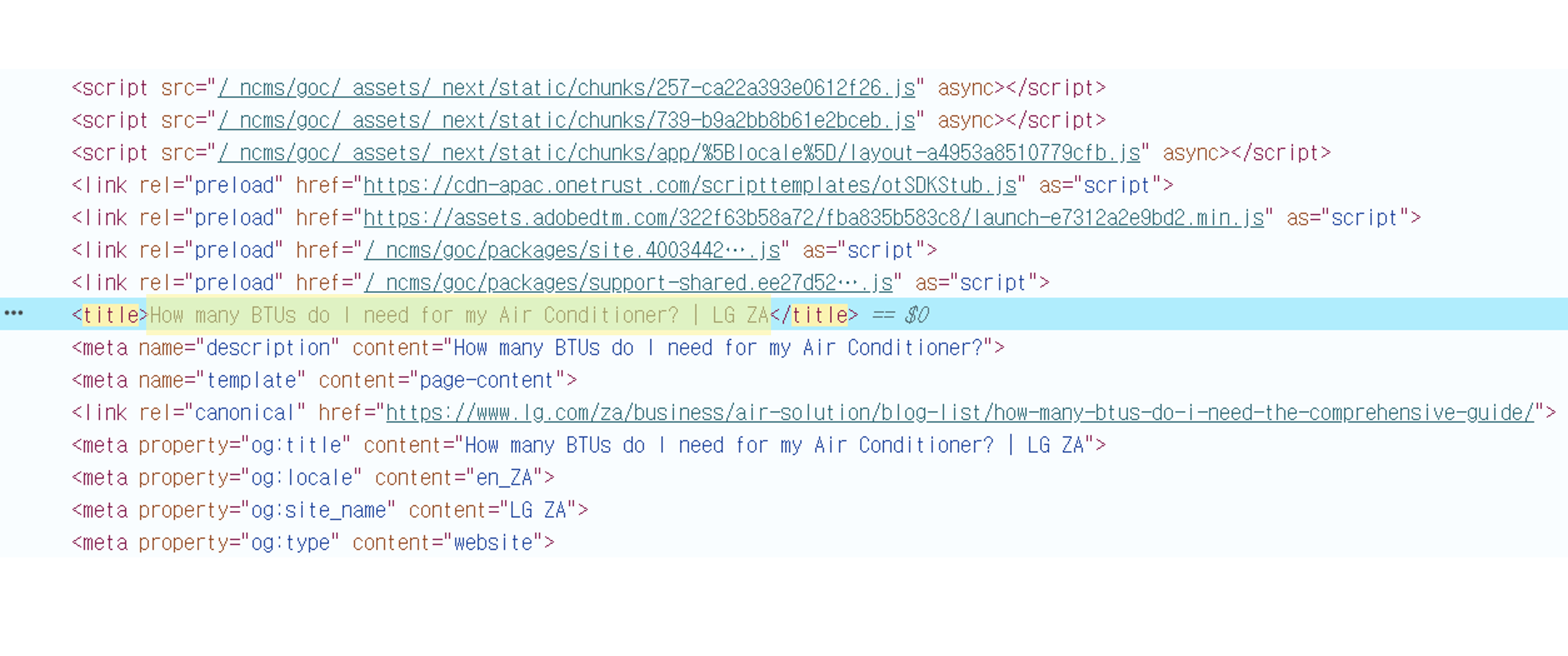
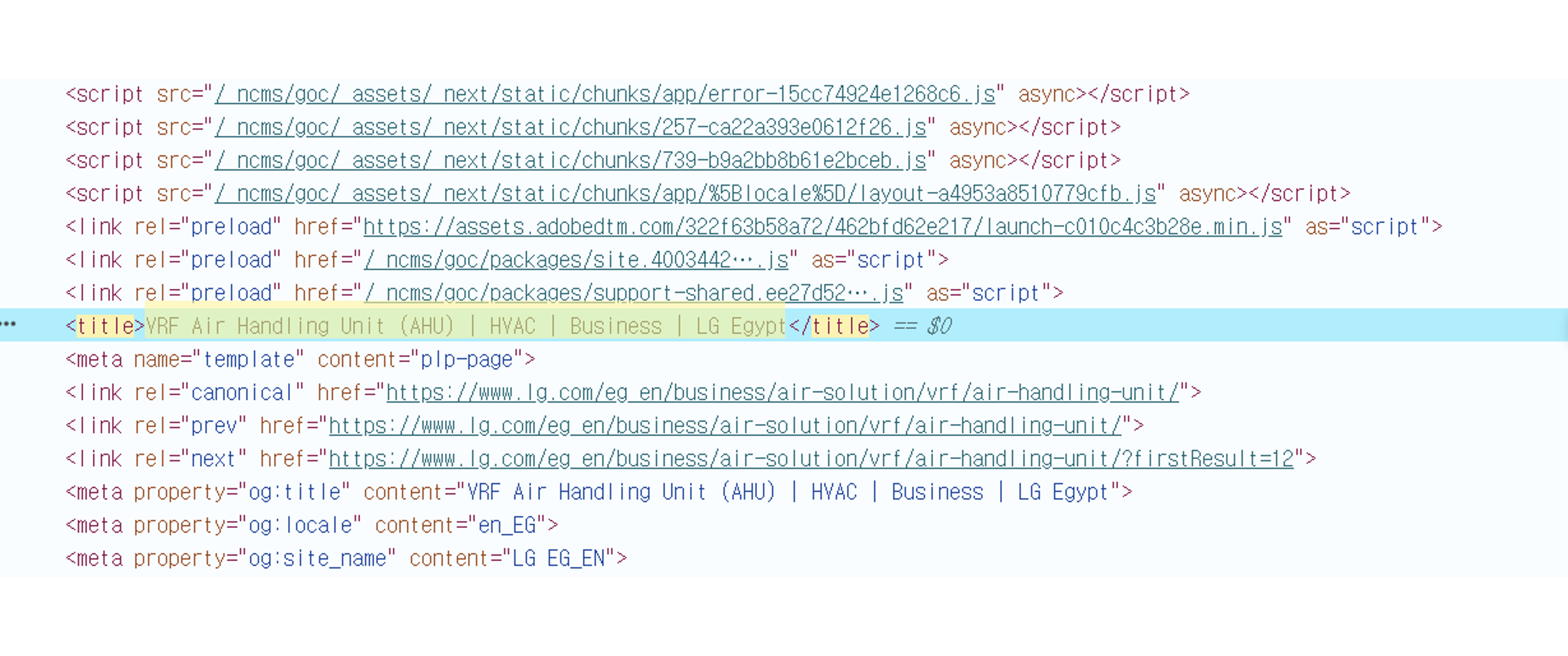
15 | Include the mandatory Ruleset structures in Title Tag (Sales Model Code, Country
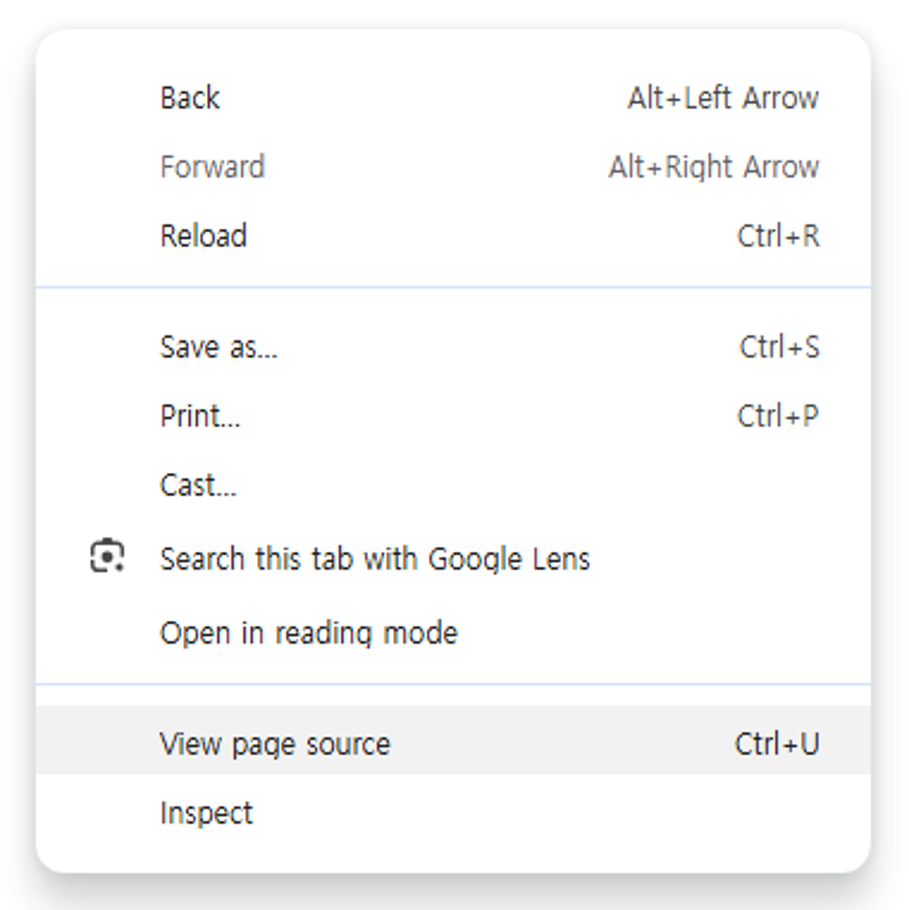
ISO) Where to view in Raw Data file: - (Column AG)4. Title Tag: score of criteria - (Column R)Title Tag: crawled data of Title Tag - (Column S)Title Tag (Eng): Title Tag translated into English - (Column T)Title Tag P/F: Pass or Fail reason * How to fix Fail cases 1) Sales Model Code Missing: Add sales model code 2) Country ISO Missing: Add Country ISO from Country_ISO_DICT For Title Tag optimization, please refer to the SEO Content Optimization Guidelines. It includes AI prompt guidance for creating and revising SEO content. |
| Criteria | Score | Improvement Guide |
|---|---|---|
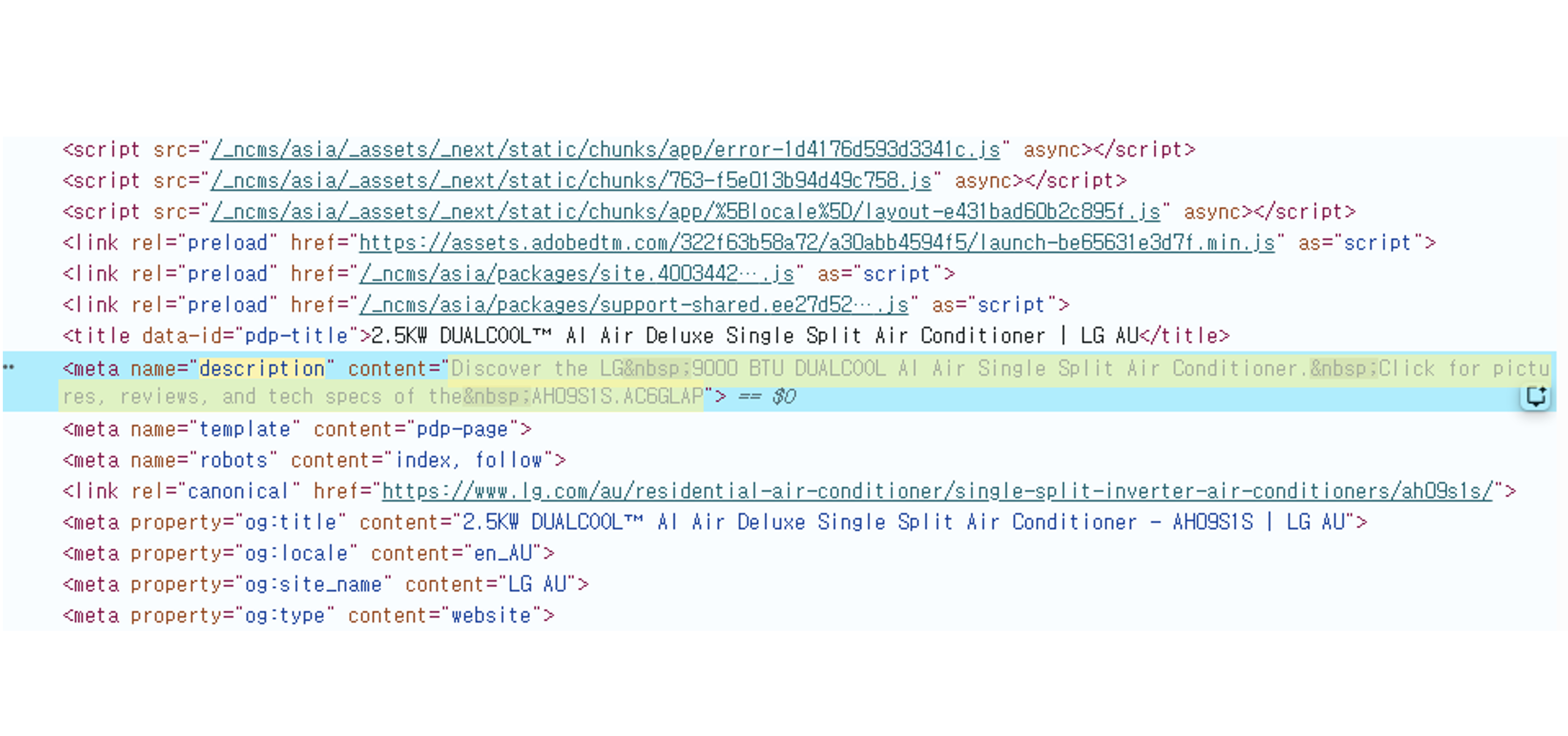
| * RAC 1) Include Capacity 2) Include Unit 3) Include Category 4) Include USP Feature 5) Include Sales Model Code * AP 1) Include Category 2) Include USP Feature 3) Include Sales Model Code |
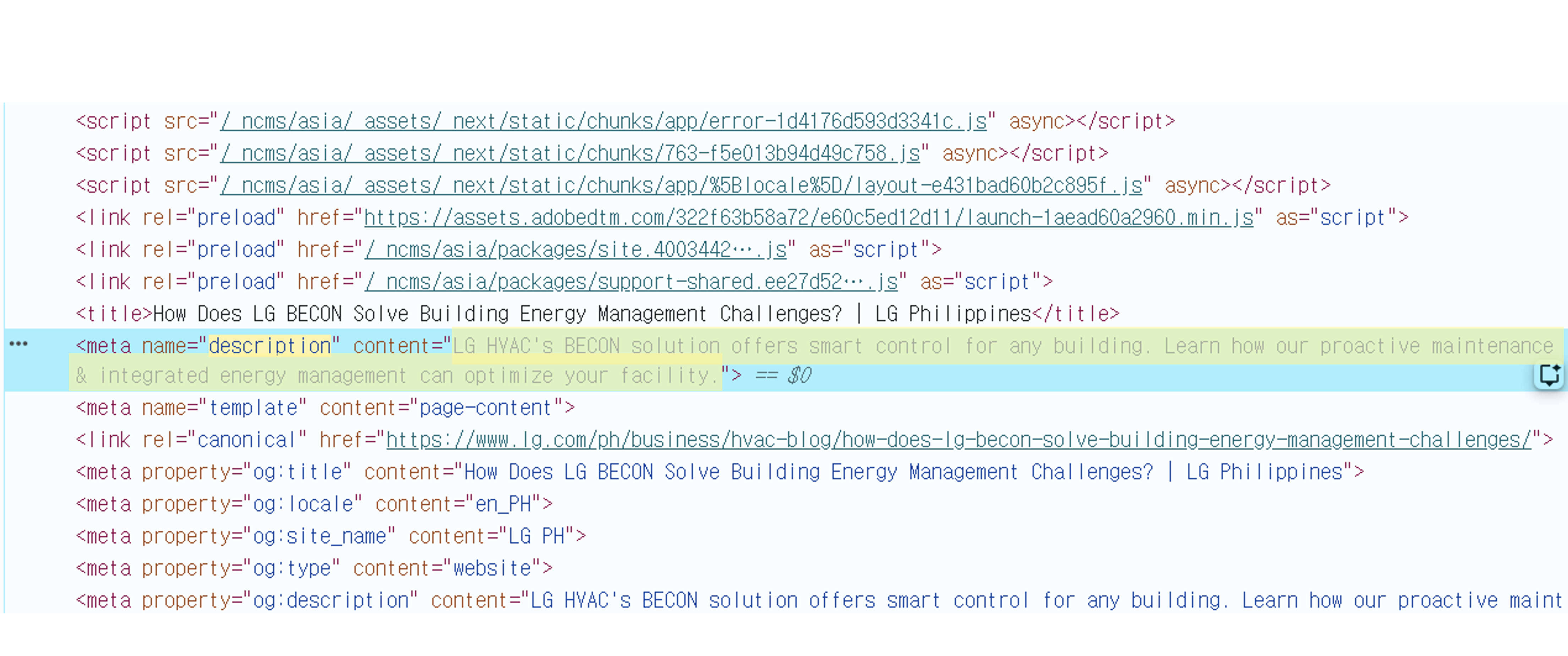
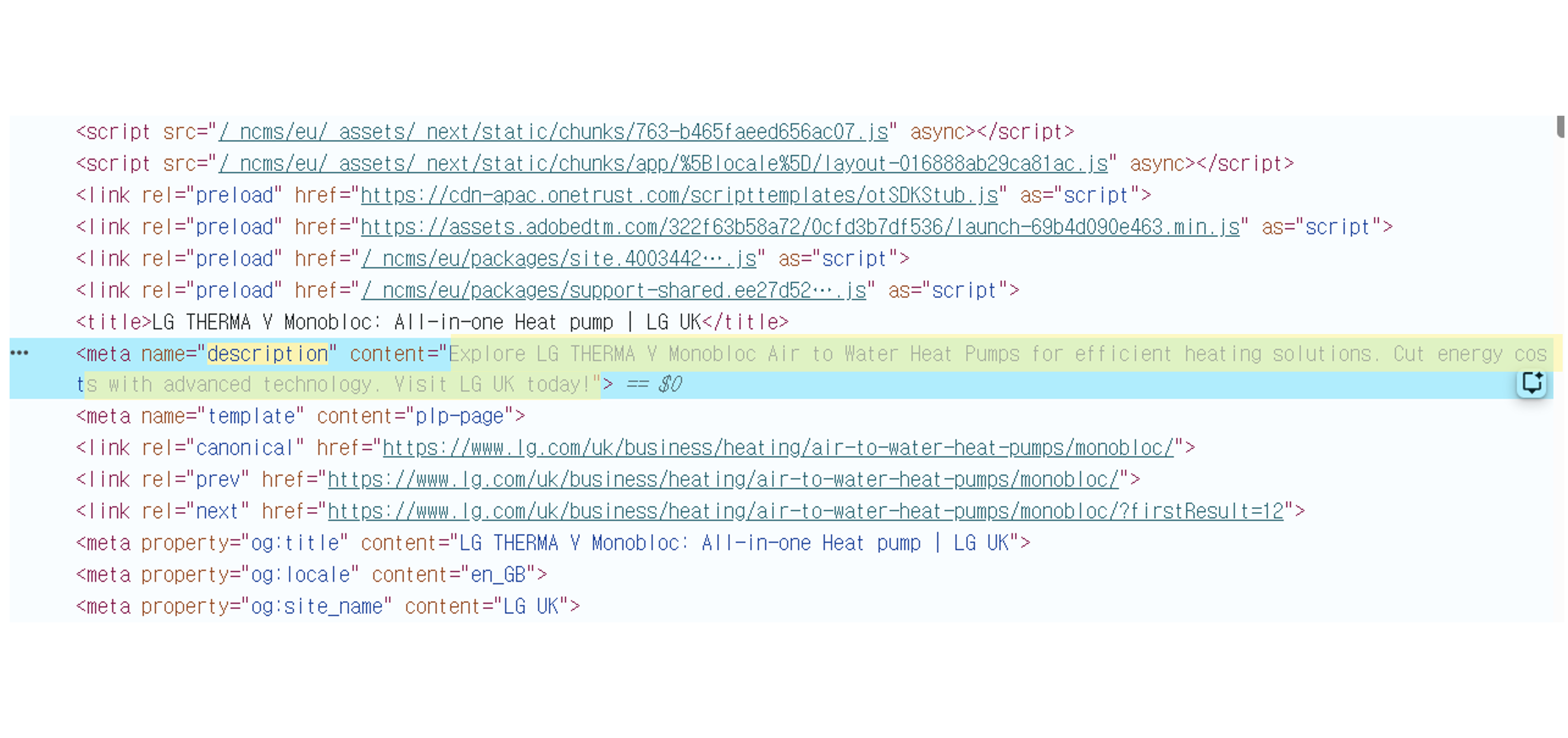
15 | Include the mandatory Ruleset structures in Description Tag (RAC: Capacity, Unit, Category,
USP Feature, Sales Model Code / AP: Category, USP Feature, Sales Model Code) Where to view in Raw Data file: - (Column AH)5. Description Tag: score of criteria - (Column U)Description Tag: crawled data of Description Tag - (Column V)Description Tag (Eng): Description Tag translated into English - (Column W)Description P/F: Pass or Fail reason * How to fix Fail cases RAC 1) Capacity Missing: Add a capacity in front of Unit 2) Unit Missing: Include unit defined in Unit_DICT RAC/AP 3) Category Missing: Include at least one keyword from B2C_Category 4) USP Missing: Include at least one keyword from USP_NAME_DICT 5) Sales Model Code Missing: Add sales model code For Description Tag optimization, please refer to the SEO Content Optimization Guidelines. It includes AI prompt guidance for creating and revising SEO content. |
| Criteria | Score | Improvement Guide |
|---|---|---|
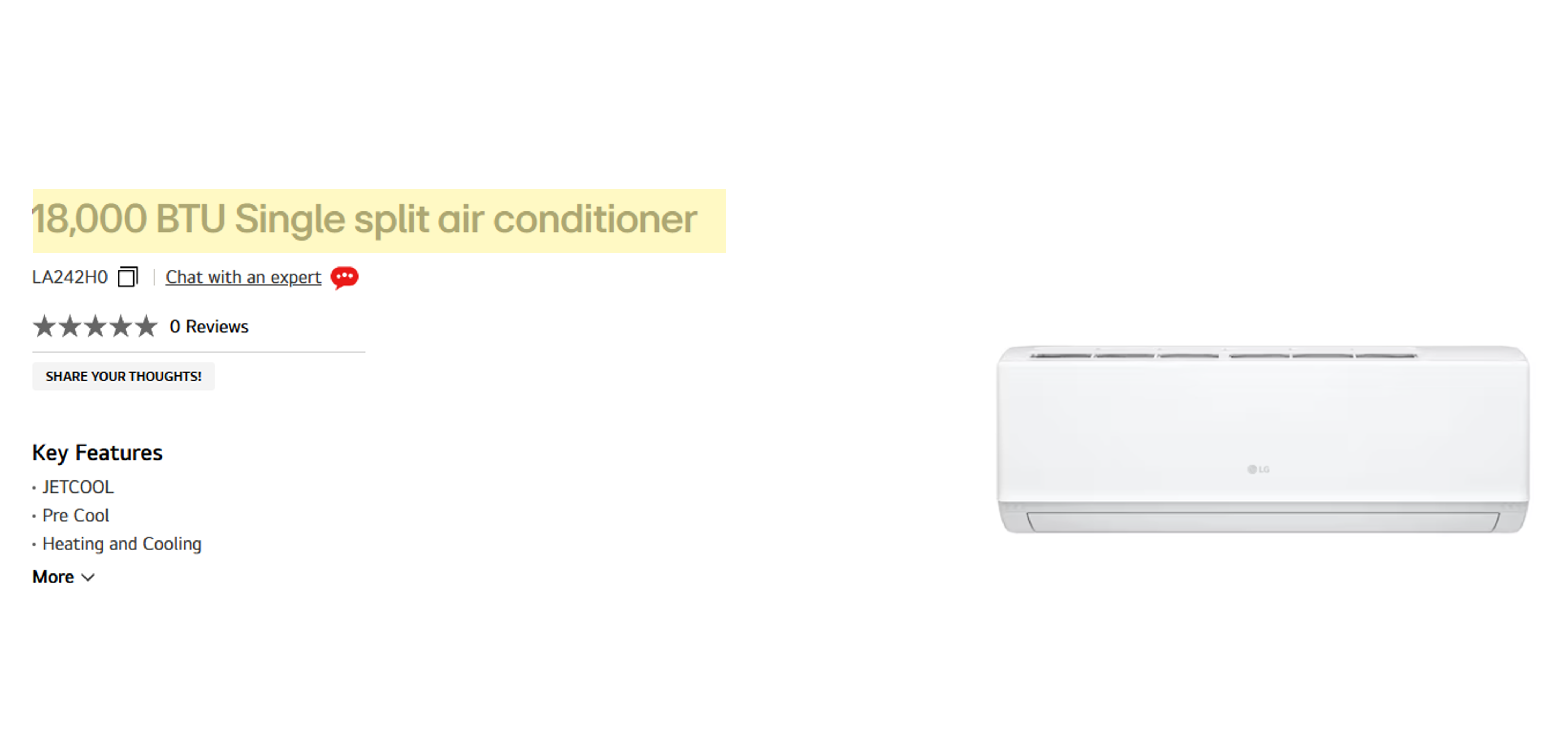
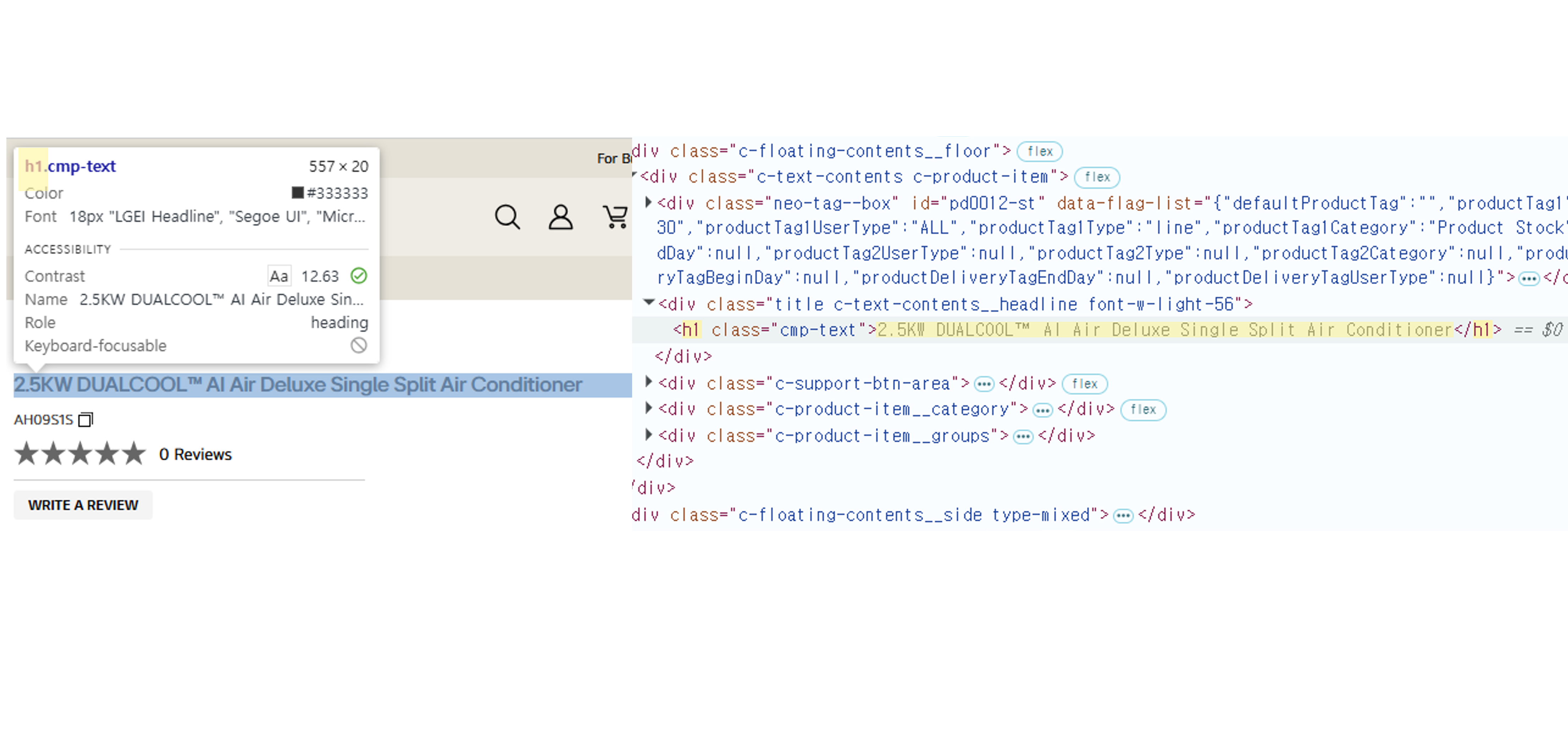
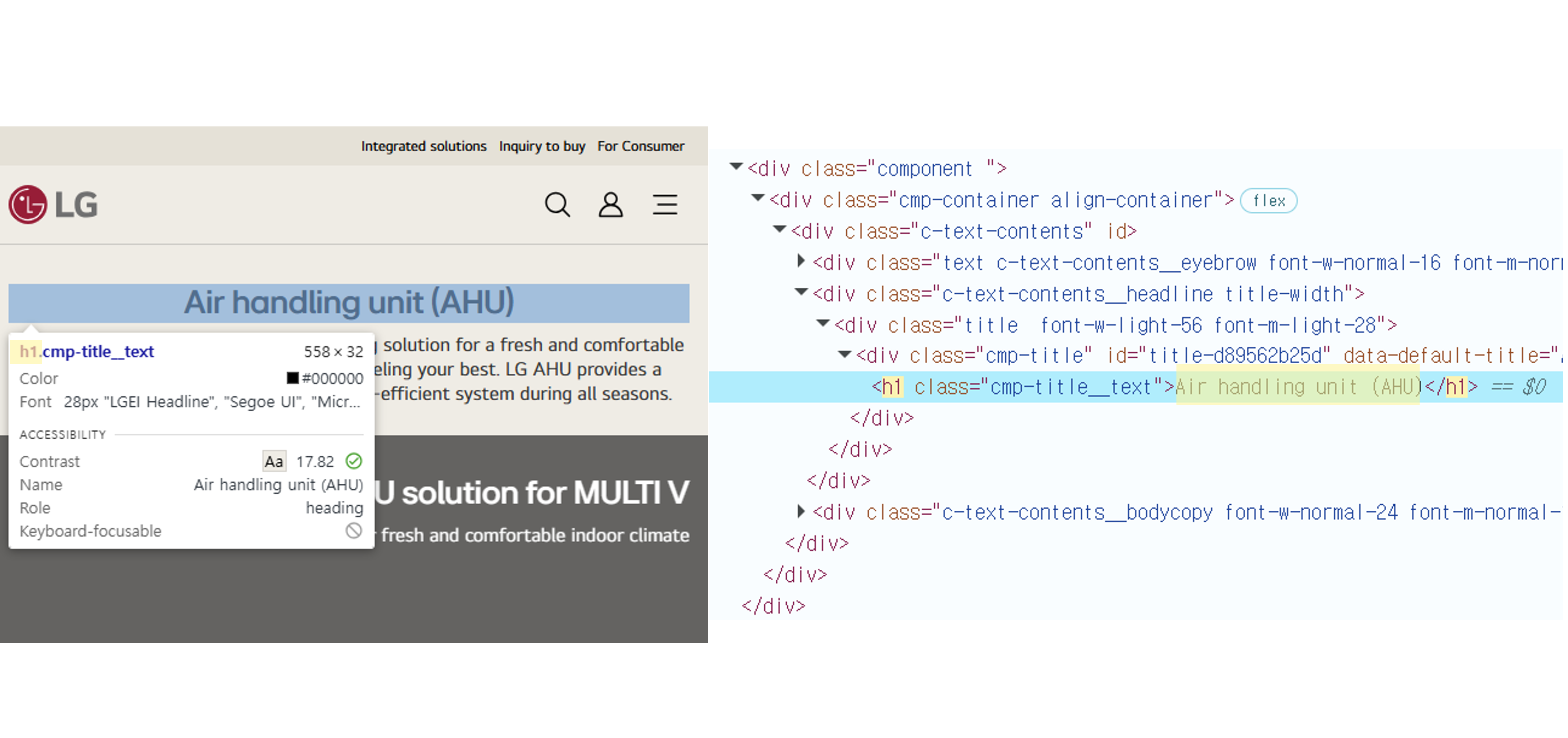
| 1) Use H1 tag only for PDP titles(UFN) * There should only be one H1 tag in a page and it should be used for PDP title (UFN) |
15 | Avoid using multiple H1 Tags and use only for PDP title (UFN) Where to view in Raw Data file: - (Column AI)6. H1: score of criteria - (Column X)H1: H1 tag defined in the UFN - (Column Y)All H1: crawled data of all H1 Tags - (Column Z)H1 P/F: Pass or Fail reason * How to fix Fail cases 1) Multiple use of H1: Keep only one H1 tag on the page 2) Title without H1 :Set the PDP title (UFN) as the H1 tag |
| Criteria | Score | Improvement Guide |
|---|---|---|
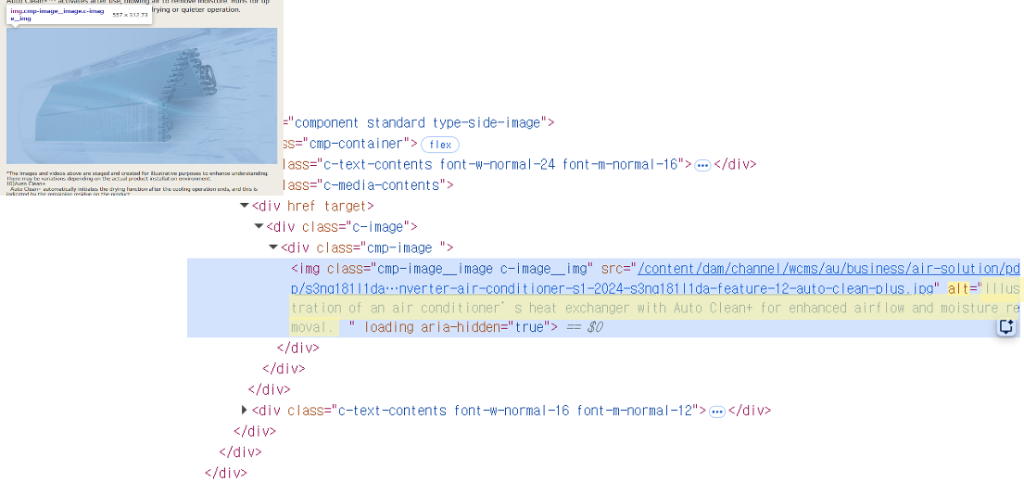
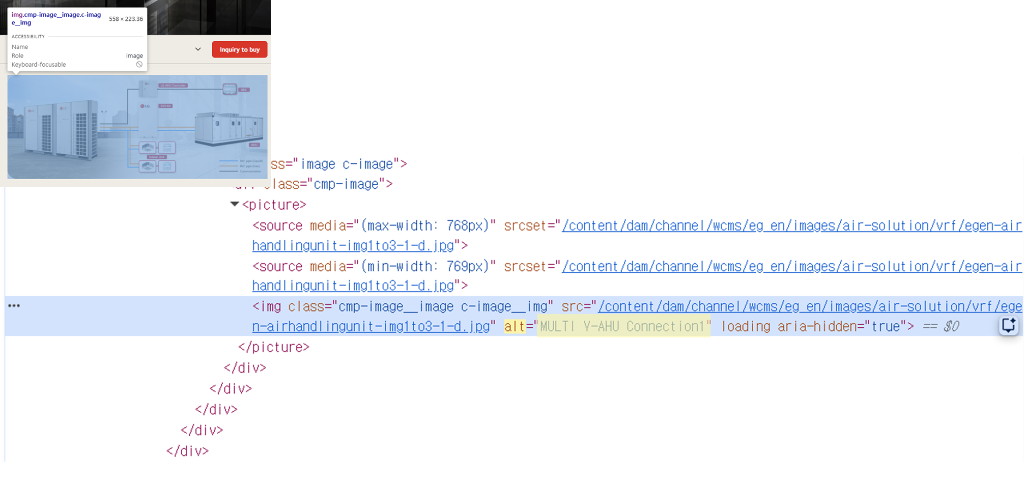
| 1) Alt Text of Feature Cards include product-related wording | 15 | Include at least one keyword from Keyword Set list in the Alt Text of Feature
Cards Where to view in Raw Data file: - (Column AJ)7. Feature Card Alt text: score of criteria - (Column AA)Feature Card Alt text P/F: Pass or Fail result Alt Text details can be reviewed in B2C Dashboard > Feature Card. Click "Download Raw Data" to download the file. * How to fix Fail cases 1) Include at least one keyword from KeywordSet (B2C Dashboard > Feature Card > Download Keyword Set) For image alt text update requests, please refer to the Jira Ticket Guide. |
Regional Avg. Score
Score Analysis
Regional Avg. Score
Score Analysis
Action Insight
Provides recommended actions by key monitoring item and URL.
Use these insights to create Jira tickets; refer to the
FAQ > Jira Ticket guide
for the required format.
Actions are based on the latest report.
Monitoring Item Actions
Shows the monitoring items that should be corrected first. Refer to the
FAQ > DICT
files for required wording and rule-set values.
In Major Fail Case, FAQ and Feature Card Alt Text percentages show failed URLs as a share of all evaluated URLs in the selected scope. For other items, percentages show each fail case as a share of failed URLs.
| Category | Item | Target | Current | Status | Major Fail Case | Action Requirement | Action Guide |
|---|
Actions by Country
Country-level action review. Click a country row to open URL-level reasons below.
| Region | Country | Priority Item | Major Fail Case | Expected Item Score | Expected Total Score | URL Review |
|---|
URL Action Detail
Click a country row to review URL-level fail cases and the exact As-is / To-be action values. Spec and FAQ items are not displayed in URL Action because they require separate source or form validation.
LLM-generated corrections are review candidates; check each correction before applying, and items marked as Needs Local Review require local subsidiary review. For the upload process, refer to the Jira Ticket Guide.
|
URL
|
As-is | To-be |
|---|